Why Mini Pizza Is the Display Font Your Designs Have Been Missing
In the crowded world of graphic design, typography often does the heavy lifting. It sets the mood, establishes hierarchy, and communicates brand personality before a single image is processed. Yet, many designers—whether seasoned professionals or enthusiastic beginners—fall into the trap of relying on safe, overused typefaces. This is where Mini Pizza enters the conversation. As a modern and fancy display font, it offers a distinct visual voice that cuts through the noise. However, simply downloading a trendy font is not enough. To truly leverage its potential for posters, logos, magazines, and book covers, you must understand how to apply it correctly. Missteps in typography can undermine even the most beautiful layouts, so let’s explore how to use this cute display font effectively while avoiding common pitfalls.
Understanding the Personality of Mini Pizza
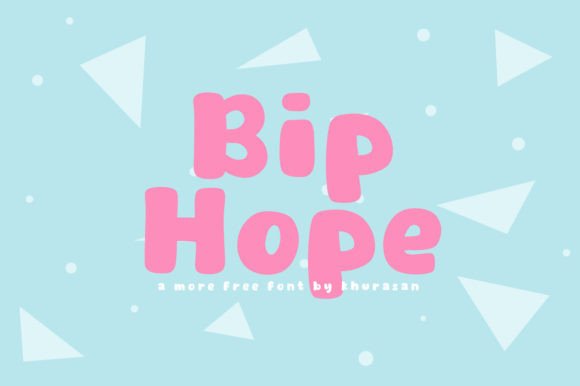
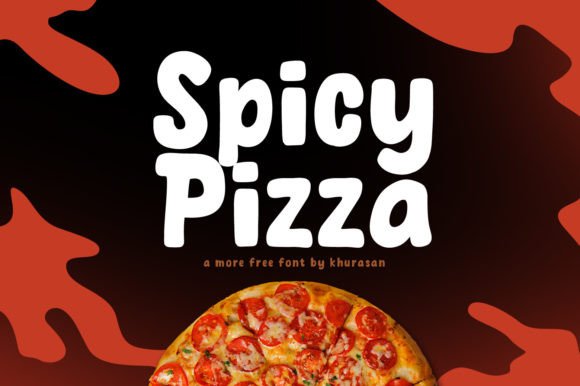
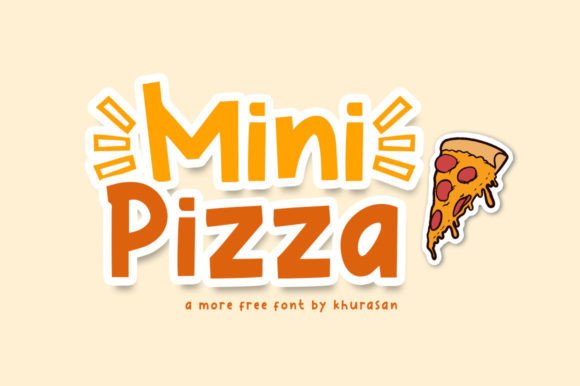
Before you integrate any typeface into your workflow, you need to understand its inherent character. Mini Pizza is not a workhorse text font designed for long paragraphs of body copy. It is a display font, meaning it is engineered to grab attention at larger sizes. Its rounded, playful, yet sophisticated shapes make it ideal for projects that require a touch of whimsy without sacrificing professionalism. Think of it as the visual equivalent of a well-plated appetizer: small, impactful, and memorable.
Many creators mistakenly assume that "cute" implies "childish." This is a significant misunderstanding. While Mini Pizza has a friendly demeanor, its clean lines and balanced proportions allow it to sit comfortably in adult-oriented contexts. It works beautifully for lifestyle blogs, boutique branding, and modern editorial layouts. The key is recognizing that its strength lies in brevity and impact. Using it for dense text blocks will not only strain the reader’s eyes but also dilute the font’s unique charm.
Common Mistakes When Using Display Fonts
Even with the best intentions, designers often misuse display fonts like Mini Pizza. Here are some frequent errors and how they affect your final output.
Mistake 1: Ignoring Hierarchy and Scale
One of the most common errors is using a display font at too small a size. Because Mini Pizza features distinctive curves and open counters, these details get lost when the font is shrunk down for secondary information or footnotes. When this happens, the text becomes illegible, and the design feels cluttered rather than cohesive.
The Fix: Reserve Mini Pizza for headlines, titles, and short callouts. Pair it with a neutral, highly readable sans-serif or serif font for body text. This contrast creates a clear visual hierarchy, guiding the viewer’s eye naturally from the headline to the detailed content. For example, if you are designing a magazine cover, use Mini Pizza for the main title and a clean geometric sans-serif for the article teasers.
Mistake 2: Overloading the Design
Because this font is visually engaging, there is a temptation to use it everywhere. You might see a designer apply it to the logo, the subheadings, the button text, and the footer. This results in visual fatigue. When everything is emphasized, nothing stands out. The "fancy" nature of the font becomes overwhelming, making the design feel amateurish and chaotic.
The Fix: Practice restraint. Use Mini Pizza sparingly to create focal points. If you are creating a banner for a social media campaign, let the font shine in the primary message. Keep supporting elements minimal. This approach ensures that the font remains a feature, not a distraction.
Mistake 3: Poor Color and Background Choices
Display fonts often have thicker strokes or unique terminals that can clash with busy backgrounds. Placing Mini Pizza over a complex photograph or a high-contrast pattern can reduce readability significantly. Additionally, choosing colors that do not complement the font’s playful yet modern vibe can make the design feel disjointed.
The Fix: Always test your typography against various backgrounds. Use solid colors, subtle gradients, or images with ample negative space behind the text. If you must place text over a busy image, consider using a semi-transparent overlay or a drop shadow to ensure legibility. For color pairing, look at contemporary palettes that balance warmth and neutrality. Pastel tones often work well with the "cute" aspect, while bold primaries can highlight its modern edge.
Practical Applications for Maximum Impact
To get the most out of Mini Pizza, consider where it adds the most value. Its versatility makes it suitable for a wide range of mediums, but some applications yield better results than others.
- Logos and Branding: For small businesses, cafes, or creative studios, Mini Pizza can serve as the cornerstone of a logo. Its friendly appearance invites trust and approachability. Ensure you vectorize the font properly and adjust kerning to create a custom logotype that feels unique.
- Posters and Banners: In large-format printing, display fonts thrive. Use Mini Pizza to create eye-catching headlines for event posters or promotional banners. The boldness of the letters ensures visibility from a distance.
- Book Covers and Magazines: Editors and authors often seek fonts that convey tone instantly. Mini Pizza is excellent for young adult fiction, lifestyle guides, or cookbooks. It suggests a narrative that is accessible and engaging.
- Digital Products: Bloggers and educators can use this font for eBook covers, course headers, or newsletter titles. It breaks the monotony of standard web fonts and adds a personal touch to digital communications.
What to Check Before You Buy or Download
Before you commit to using Mini Pizza in a client project or personal endeavor, take a moment to evaluate the technical and legal aspects. Many beginners overlook licensing terms, which can lead to costly issues later.
First, verify the license. Does it cover commercial use? If you are designing a logo for a client or creating merchandise for sale, you need a commercial license. Personal-use-only fonts cannot be used for profit-generating activities. Second, check the file formats. Ensure you receive OTF or TTF files for desktop use, and Webfont formats (WOFF/WOFF2) if you plan to use it on a website. Having the right formats ensures compatibility across different software and platforms.
Finally, test the font in your specific design environment. Open your preferred design software and type out your intended copy. Check for any awkward spacing or glyph issues. Some display fonts have limited character sets, so ensure it supports the languages or special characters you need. If you are working on an international project, confirm that Mini Pizza includes the necessary accented characters.
Making the Right Choice for Your Design Toolkit
Choosing a font is more than just picking something that looks nice; it is about solving a communication problem. Mini Pizza offers a solution for designs that need to feel modern, friendly, and distinctive. By avoiding the common mistakes of scale, overuse, and poor contrast, you can elevate your work from good to exceptional.
Remember, the goal is not just to use a trendy font, but to use it wisely. Let Mini Pizza handle the heavy lifting in your headlines and logos, while letting simpler fonts support the narrative. This balanced approach ensures that your designs remain clean, professional, and effective. Whether you are a freelancer pitching to a new client or a hobbyist creating a birthday invitation, this cute display font can be the secret ingredient that makes your project stand out. Get this font, experiment with its limits, and watch how it transforms your creative output.